
IT equipment maintenance is a ticking time bomb for many businesses, as more and more of their computing and networking hardware slips into legacy status and, ultimately, becomes obsolete.
A regular IT health check can prevent this, by looking for signs of wear and tear, poor reliability, and ageing systems that should be upgraded, updated or completely replaced.
This is not a false economy: in 2024, a global survey by ITIC found that a single hour of downtime costs more than $300,000 (£220,000) for 90% of medium to large enterprises, and most (54%) can’t even calculate the cost of IT outages in their business.
In this guide, we will look at the value and benefits of IT maintenance services for your business, to help you avoid falling into the financial cost and reputational chasm of unscheduled outages.
What is an IT Health Check?
IT health checks are one of a suite of IT infrastructure solutions offered by support partners like Venom IT.
For some businesses, a regular IT health check is mandatory. For example, you must submit an updated IT health check report when applying to connect to the UK government’s Public Services Network (PSN).
Some of the main areas that fall within the scope of an IT health check include:
External Testing
Also known as penetration testing, this checks that your internet-connected equipment is secure, including web servers, email servers and network firewalls.
Internal Testing
This checks the build and configuration of your server(s) and workstations, installation of up-to-date software patches, and remote solutions like laptops and USB memory sticks.
While the PSN health check is largely focused on network security, comprehensive system health checks are not just about protecting your business against cyber attacks. Instead, they are an important element in your ongoing IT equipment maintenance plan.
Crucially, a proactive approach to IT support and maintenance prevents unplanned downtime, protecting you against reputational risks, lost revenues and compliance costs.
What does IT Equipment Maintenance Involve?
IT maintenance and repair services can be tailored to the needs of your business and can scale as you grow.
For example, depending on the size of your organisation, the complexity of your IT systems is likely to increase:
- Standalone computers/laptops with no network
- Secure on-site network with no external access
- On-site internet-connected server with web access
- Multi-site cloud-enabled network with remote access
This is why it’s important to work with an IT support and maintenance partner like Venom IT, who can adjust your IT health check over time to focus on the elements that are most important to your business.
Elements of IT Equipment Maintenance
In terms of what’s actually involved, IT equipment maintenance is a lot like getting your car serviced. Experienced engineers inspect, test and monitor your hardware to identify any potential performance issues and physical damage.
This may include:
- Testing battery levels and power performance
- Physically cleaning dust and dirt (especially from fans)
- Checking the physical reliability of cables and connections
- Looking for environmental issues (e.g. excess heat due to direct sunlight)
- Identifying old and obsolete components to upgrade or replace
Your IT health check can also include your software. This ranges from creating secure backups of your data and essential programs, to deleting obsolete files and clearing space in your RAM to improve performance.
Again, good IT maintenance services are tailored to your organisation, equipment and processes, and you should receive a full report of the findings.
Your IT support partner may also make recommendations of ways you can improve your processes to protect your equipment against outages in the future, for example by using protective cases and purpose-made bags to carry portable equipment and protect it against physical damage during transit.
Why IT Equipment Maintenance is Critical for Business Continuity
The complexity of modern-day IT infrastructure solutions means regular IT equipment maintenance is more important than ever to ensure business continuity.
In 2025, Uptime Institute’s Annual Outage Analysis found the leading causes of downtime in data centres:
- Power (54%)
- Cooling (13%)
- Network (12%)
- IT systems (11%)
- Colocation (3%)
An IT health check will obviously help with the condition and reliability of IT systems (e.g. hardware/software), but can also tackle the other issues listed, by improving power and cooling performance, preventing network problems, and optimising equipment used in colocation scenarios.
Counting the Cost of Poor IT Equipment Maintenance
The 2023 Cost of Downtime Report from Beaming surveyed UK businesses to predict the impact of internet connectivity outages. It found that 850,000 companies, about 15% of the UK economy, would start to lose revenues the moment they lost connectivity.
In 2023 alone, British businesses experienced nearly nine million connection failures, costing a total of more than 50 million hours of downtime. On average, SMEs are worst hit, suffering 3-4 outages per year and losing 19 hours of productivity, equal to about 2.5 business days.
Across the economy, 42% of all businesses reported some amount of downtime, with a combined cost of £3.7 billion. That’s more than the Welsh Government’s entire capital funding for 2026-27 (£3.6 billion).
A Bumpy Landscape of IT Infrastructure Solutions
Obsolete and legacy hardware is one of the single biggest challenges to effective IT equipment maintenance. Older equipment is typically less reliable, out of warranty, and is often no longer supported by security patches and firmware updates from the manufacturer.
The extent to which your organisation suffers from this may vary. For example, the 2025 State of Digital Government Review revealed that in the UK public sector, some organisations’ IT infrastructure includes up to 60-70% legacy systems, while others are at only around 10%.
Overall, it’s estimated that 28% of UK central government IT infrastructure consists of legacy systems – but most of the public sector has no register of IT assets specifically designed to track this.
Key Benefits of Regular IT Health Checks
The list of benefits of regular IT health checks is practically endless, and can vary depending on the nature of your business and the size of your existing IT infrastructure.
Here are 10 key benefits of regular IT health checks, in no particular order:
- Cost Savings: Replacing legacy hardware reduces running costs due to excessive energy consumption and one-off repair expenses.
- Cyber Security: Software patches and firmware updates help to protect hardware against attacks via the network, email and/or internet.
- Data Protection: Well-maintained disks and devices help to ensure compliance with data protection legislation and industry-specific regulations.
- Employee Productivity: Maximise productivity while reducing frustration, and ensure your employees comply with your company’s IT processes.
- Longevity: Hardware lasts for longer in good condition, with fewer component failures and improved reliability.
- Optimise Resources: Identify IT assets that could be used better, so you can allocate your investment to where it makes the most profit.
- Reduced Downtime: Prevent avoidable outages, so that your business does not suffer a complete interruption to productivity.
- Software Speed: Removing old software and unused Registry ‘startup’ entries frees up RAM and disk space, allowing systems to run faster.
- System Scalability: Do the best with the IT infrastructure you have, while identifying (and budgeting for) growth opportunities via future IT investment.
- Written Records: Fully documented IT audit reports give you a paper trail you can show to regulators to evidence your commitment to data compliance.
A tailored IT equipment audit will focus on the aspects that matter most to your business, while providing a valuable overview of your systems to steer your future decision-making on IT upgrades and purchases.
Common Risks of Neglecting IT Maintenance
The risks of neglecting IT maintenance can range from the relatively minor, such as poor system performance, to major events like data centre outages and server fires.
-
Performance Problems
Performance, productivity and profit go hand in hand. If your employees are hampered by legacy workstations that take minutes to boot up every day, or slow servers that mean it takes ages to transfer files or check emails, your business’s bottom line will suffer as a result.
-
Security Risks
Your cyber security can be put at risk due to poor IT maintenance. Older equipment might not receive firmware updates and security patches from the manufacturer. Your hardware might not support modern encryption methods. Your workforce might start to use their own, less secure devices that are faster and more reliable.
-
Outages and Fires
In extreme cases, your business could suffer a prolonged outage due to a hardware failure. Dusty, overheating equipment can also catch fire, which is why it’s essential to check the condition of your most intensively used hardware e.g. your office server.
These are just a few of the issues you might encounter due to a lack of IT maintenance and repair services. As IT hardware ages, these risks develop further – which is why you need regular IT health checks from a maintenance provider you can rely on.
Choosing the Right IT Maintenance Services Provider
IT maintenance and repair services are an investment you make not only in the functionality of your computer equipment, but in the continuity of your business as a whole.
This begins with a thorough IT health check to identify the areas where you can make the fastest gains, but it can include ongoing IT equipment maintenance to keep everything running in an optimal state.
You need an IT support and maintenance partner you can trust, who keeps you fully informed and can scale your IT maintenance services as your business grows.
With decades of expertise and thousands of happy clients, Venom IT is that partner. To find out more about our IT maintenance services for SMEs and fast-growing businesses, contact Venom IT today.
Running a small or medium business is not as easy as it looks. Everyday you need to handle emails, reports, customer queries, invoices, meetings and plan several things at the same time. This is where Microsoft Copilot for Businesses becomes a real game changer. It works as a smart assistant inside your Microsoft 365 apps. It helps to complete our tasks faster and with minimum effort, so instead of spending hours on admin, you can focus on growing your business.
Microsoft Copilot Use Cases for SMEs Businesses
Let’s look at some practical use cases that help SMEs save both time and costs.
1. Writing Emails and Replies in Minutes
How much time do you spend drafting emails every day? With Microsoft Copilot AI integrated in Outlook, you can draft professional emails in seconds. You just need to give short instructions like. “Reply to the client about pricing in a friendly tone,” and it prepares a well-written response. This saves time and also improves communication quality. Even small teams can maintain a professional image without hiring extra support staff.
2. Creating Reports without Stress
Many SMEs struggle to prepare monthly reports, proposals and documentation work. Microsoft Copilot integrated in Word, can help to draft reports using previous documents and notes. It can summarise long files and convert raw data into readable content in a fraction of seconds. Hence, instead of spending hours in editing and formatting, your team can refine and review what Copilot creates. This makes Microsoft Copilot for Businesses especially useful for those companies having less manpower.
3. Smarter Data Analysis in Excel
Not everyone is an Excel expert. But, we need proffer filtered data for decision making. Microsoft Copilot in Excel helps to analyse trends, create summaries and charts with simple instructions. Eg: You can type,” Show me Sales Trends over the past 6 months” and it generates insights instantly. So, no need to depend on external consultants and helps business owners to make faster decisions.
4. Faster PowerPoint Presentations
Preparing presentations for clients and internal meetings takes time. Microsoft Copilot integrated in PowerPoint can turn a simple outline into a complete presentation with slides, content and structure. This is helpful for SMEs who are pitching to new clients and investors. Instead of spending the whole day creating a presentation, you can prepare a polished presentation in minutes.
5. Everyday Task Automation
From creating task lists to drafting policies and summarising conversations, Microsoft Copilot for Businesses can handle repetitive work easily. These can in turn save big costs for the company. When employees spend less time on routine tasks, they can focus more on revenue generating activities, creating strategies and improving customer services.
6. Better Meeting Productivity with Teams
Meetings are important but they consume a lot of time. With Microsoft Copilot AI tool, you can get a summary of the meeting, action points discussed and key highlights, that too automatically. If someone from your team misses the meeting, then this tool which is integrated with Microsoft Teams, helps to get them all points. This surely improves productivity and allows better communication within the group.
How Microsoft Copilot in Businesses Helps to Increases ROI
Microsoft Copilot AI directly impacts your return on investment (ROI).
- Labor Cost Reduced – Less time is spent on manual tasks which means you don’t need to hire more staff.
- High Productivity- Teams can complete work faster and in a smart way.
- Better Decision-Making: Owners get quick insights from the data which helps them to make better decisions and also avoid mistakes.
- Customer Centric Focus- As the work is done faster, there are faster responses. Hence, this allows better communication and builds trust in the customers.
All these above factors contribute to overall business progress without increasing operational costs.
How Venom IT helps SMEs Businesses with Microsoft Copilot AI Tool
Technology should make life easier and not complicated. As a partner with Microsoft Copilot AI, Venom IT helps businesses to implement this tool effectively. From installation process to integration, training the team to ongoing support, we make sure that businesses get maximum benefits. You just need to identify areas where Copilot can save your time, cost and improve work quality.
We combine smart AI with our Venom IT expertise and allow SMEs to work smarter. What is the Result? You will get better efficiency, more productivity and increased ROI. Hence, in today’s cutthroat marketplace, adopting tools like Microsoft Copilot for Businesses is no longer an option but it’s a smart step towards business growth.
Venom IT has always been committed to provide the businesses with high-performance, secure, and industry-leading Desktop-as-a-Service (DaaS) solutions. Today, we proudly make that quantum leap in an upgrade of our core infrastructure, bringing 6x speed, responsiveness, and reliability to your virtual desktops. These enhancements are designed to enable businesses with the same leading edge in technology employed by 500 Fortune companies and hyperscale cloud providers.
1. Next Generation CPU Power
We have improved our CPU Architecture with the latest generation of Enterprise-grade Processors. The above upgrade provides improved computational capabilities, enabling easier multitasking and overall performance enhancements. Your virtual desktop will be faster and smarter than ever whether you have got a big data set to work with, multitasking, or heavy applications.
2. NVMe Storage – The Gold Standard in Modern Computing
Storage is the pulse of the virtual world and we have made a big leap ahead with the migration from conventional storage drives to enterprise-grade NVMe storage. It is the same technology that powers the world’s fastest data centers.
Through the upgrade, you will get:
-Read/Write Speeds up to 6x Faster
-Substantially lower latency for data-intensive operations
-Increased IOPS for better responsiveness
Accordingly, it would enable applications to open in an instance, loading files within a fraction of the time, as well as making daily functions operate at a faster rate. Those operations that took several minutes will merely be done within seconds.
3. Upgraded Network Switches for Best Connectivity
We have enhanced our network layer by upgrading the switches. This includes improved firmware, optimized patching, and pro-active post update monitoring. It also includes careful housekeeping inside the network especially within VLANs (Virtual Local Area Networks). This means cleaning old and unused configurations, fixing small issues that would slow down the network, organizing network traffic so it works smoothly.
How do these DaaS upgrades add value to your business?
These upgrades bring significant improvements in your daily business operations such as:
- Quick access to large files and datasets
- Near-instant boot times
- Faster application switching without lag
- Smoother and more responsive desktop
- Greater reliability with enterprise-grade infrastructure backing your operations
Means you will get more speed, high performance and more productivity with zero disruptions to your workflow.
Real Business Impact
Our early performance benchmarks have revealed some encouraging results. Applications are loading much quicker—on average, we’re seeing them open about 40–60% faster than before. Because everything responds more smoothly, teams are able to get through their daily tasks with less waiting and fewer interruptions.
Large data files, analytics tools, and complex app services are running with much better stability and performance. Overall, the response from teams has been very encouraging, with people reporting that things are working more efficiently and more enjoyable.
Our Commitment to Innovation with DaaS Upgrades
These upgrades reflect our ongoing promise to stay at the forefront of DaaS technology by improving performance, security and overall user experience. At Venom IT, you are fueled with enterprise-grade systems designed for your future.
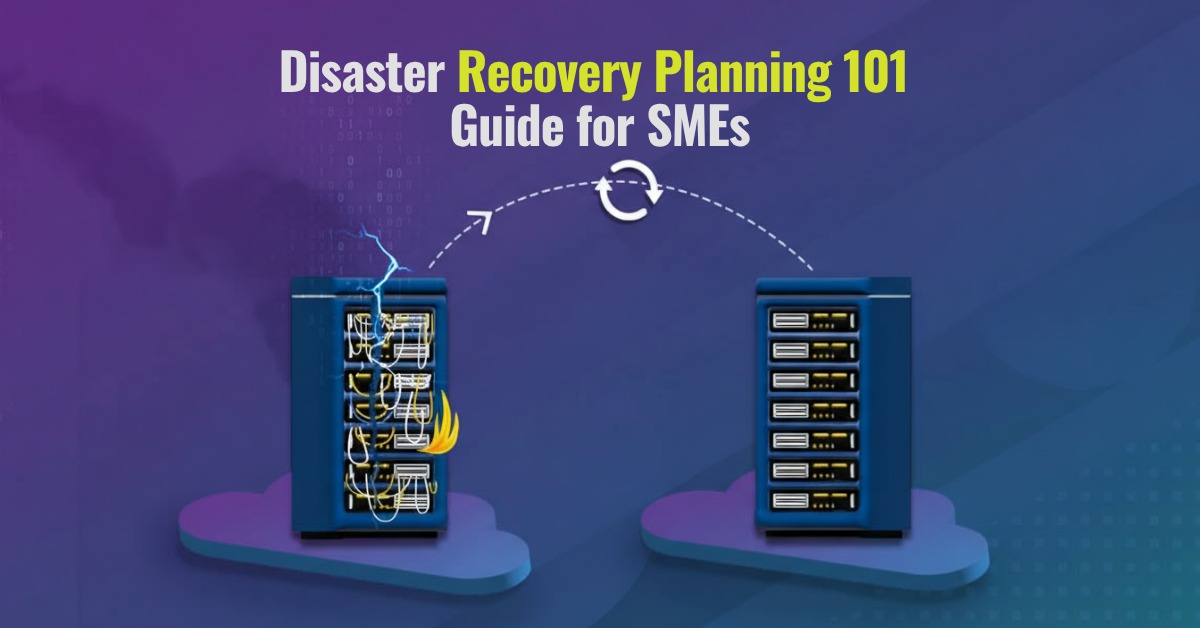
A professional disaster recovery plan provides a data safety net if things should go wrong. SMEs often underestimate the likelihood and impact of downtime on business, as a result of data loss or other IT system failures. Sudden power loss, server crashes or even cyber attacks can put a halt to business operations and have long lasting effects on your overall operation. Customers can lose trust, employees become frustrated and efficiency will drop. All this can be avoided with disaster recovery planning, tailored to the unique requirements of an SME. Our 101 guide to DRaaS (Disaster Recovery as a Service) will explore options and solutions to keep your data and business safe.
What is Disaster Recovery Planning?
A few examples of these IT disasters could be:
– Hardware failure (physical damage to the computer, server crash, manufacturing defects, or overheating)
– Cyberattacks (Ransomware, malware, data breach, hacking)
– Natural Disasters (Floods, fire, earthquake)
– Human errors (accidental deletion of important files)
Key terms to know in Disaster Recovery Planning
- Backup – A copy of your data that can be restored in case the original data is lost or damaged.
- Recovery Time Objective (RTO) – How fast you need to get your system back on track online after a disruption.
Eg: “Our website must be up and running within 2 hours following the system crash.”
- Recovery Point Objective (RPO)- The maximum amount of time a system can tolerate data loss after a disruption.
Eg: “We can lose only up to 1 hour of sales data if the system “crashes.
- Redundancy: Having back up systems or servers that can be used if the primary system fails.
- Failover: A process that automatically switches to standby when the main system fails, ensuring continuity of service.
- Business Continuity: The organization’s ability to keep its operations going during or after a disruption.
Understanding DRaaS Approaches and Models
Organisations often implement disaster recovery plans based on their IT infrastructure, compliance needs, and budget. There are 4 main models which include On-premises, Off-site, Hybrid, and DRaaS.
On-Premises Disaster Recovery:
In this model, all data backup and recovery infrastructure is located in the organisation’s own internal data center. Important applications, servers, and data are duplicated in local hardware. If there is a failure, organisations can switch to those internal backups for recovery. This is best for large enterprises with strong IT teams for on-site data storage.
Off-site Disaster Recovery:
In this model, all data backup or replicas of data are stored at a remote data center or a secondary location. Here, data is continuously backed up at another geographical location. If there is a failure at the primary site, then systems are restored from this remote site. This is best for organisations that have moderate cost control and are looking for geographical redundancy.
Hybrid Disaster Recovery:
This approach includes, combination of on-premises and public cloud resources. In this, critical workloads and data are replicated between private infrastructure (the company’s own data center) and public cloud, such as AWS or Azure. If the primary on-site fails due to a disaster, then the operations can be quickly shifted to a cloud environment.
DRaaS (Disaster Recovery as a Service)
DRaaS is like renting a disaster recovery plan from the cloud. Instead of managing all servers, backups, and recovery systems yourself, a DRaaS provider like Venom IT will take care of everything directly. It acts as a cloud computing service model that allows SMEs ad larger companies to back up their data and IT infrastructure in a secure, 3rd party cloud computing environment.
How can IT Providers help build your Disaster Recovery Plan?
Many SMEs don’t have in-house IT expertise or even resources to build one from scratch. This is where disaster recovery specialists can step in, from building the infrastructure that keeps your data secure, to actioning and restoring following any issues. DRaaS planning specialists help in a number of ways:
1. Evaluating Business Risks and Critical Systems- An DRaaS provider first starts identifying the most critical systems, applications, servers, and data. They assess what downtime would cost your business and then define Disaster Time Recovery (RTO) and Disaster Point Recovery (RPO). (See our guide to what these terms mean further up)
2. Designing a custom-made Disaster Recovery Strategy- No two organizations are alike. A good IT provider will customize a Disaster recovery plan based on the organization’s business type, budget, and size. Hence, it can be on-premises, off-site, or even hybrid. They will choose the right model which will offer affordability and flexibility. Eg: For SMEs, DRaaS is the best option.
3. Implementing Backup and Cloud Solutions – They set up automated backups, replication of data, and cloud storage, ensuring your data is safely copied to a secondary location. So, if your main system fails, your business will not be affected.
4. Testing the Recovery Plan- A plan written on paper needs to be tested in the real world to check that it works properly. Your IT provider will simulate disaster scenarios and check everything works. Whether backup gets stored, applications load, servers run properly, and the team knows how to work. Regular testing helps in keeping updated with tech and business changes.
5. 24/7 Customer Support and Monitoring –IT Disasters can occur at any time, even after business hours. IT providers like Venom IT offer 24/7 monitoring and provide quick response, ensuring your system remains safe during downtime or a cyberattack.
6. Ensuring Compliance and Security –Many industries have strict data protection and compliance standards. IT providers stick to the right protocols in their disaster recovery plans, so your business stays out of legal trouble.
Our approach to Disaster Recovery Planning – 4 key steps
1. Consultation: To understand your requirements, current IT configuration, and problems, we will schedule a friendly and straightforward consultation meeting.
2. Tailored Proposal: With an understanding of what solution will work best, we will put together a proposal plan that fits your business needs, which includes a technical audit.
3. Onboarding and Initial Setup: Once you’re ready, our tech team will move to implementing the recommended plan. They will do installation, manage full systems implementation, oversee data migration, and build integration with the cloud.
4. Continuous Support: With the above successfully completed, a dedicated and experienced account manager will stay in touch as a point of contact, monitor performance, and make sure your new system is always running at its best.
Professional Grade Data Recovery
Venom IT works with some of the leading DRaaS software systems to make sure your business works with complete protection and best performance. They include:
- Microsoft Azure Site Recovery
- Amazon Web Services (AWS) Disaster Recovery
- Veeam Disaster Recovery as a Service
Common Disaster Recovery Planning Pitfalls and how to avoid them
Even with the best intentions, a disaster recovery plan can fail if a few small things are neglected. This is why it’s imperative to use an expert IT provider such as Venom IT. These are some of the common mistakes businesses can make, and how we can avoid them.
- No thorough testing of the recovery plan
Many companies create a disaster recovery plan but fail to test it again and again. When an actual disaster strikes, they discover that half of the plan did not work as expected.
How to avoid it: Schedule regular testing at least twice a year. Create different disaster scenarios as trials, so your team knows exactly what to do and can fill the gaps immediately.
- Outdated Backups
If there is an old or incomplete backup, it won’t help much during a crisis.
How to avoid it: Automate backups wherever possible and check that they are running successfully. Also, test restoring your data occasionally and make sure the backups are usable.
- Relying on a single location
If all your data and systems are stored at one location, then you’re putting everything at risk.
How to avoid it: Consider using cloud-based Disaster recovery, like DRaaS or hybrid systems. In this way, even if the main system fails, you can access your data easily.
- Ignoring Human error
We always focus on technical errors, but forget that even humans can make mistakes. Deleting files, clicking on misleading links, etc.
How to avoid it: Train your employees regularly on cybersecurity practices and also set up permission-based access to critical data.
- Poor communication during downtime
When systems go down, there is a lot of confusion. Teams don’t understand what is happening, and even customers are left in the dark.
How to avoid it: Define clear communication in your disaster recovery plan, which includes who should be informed and when. Also, keep all contact lists updated.
What comes next?
Disaster recovery is ultimately all about keeping your company safe, secure, and prepared for a number of scenarios no SME wants to deal with. Venom IT is an award winning provider of disaster recovery planning, and understand that SMEs may have limited funding and resources. In order to detect potential risks, pinpoint weak points in the current setup, and create a customized disaster recovery plan that meets your company’s demands, we are providing a FREE disaster recovery audit.
Take the first step towards data safety and business continuity by scheduling your free disaster recovery audit with Venom IT right now.
Cloud computing refers to a collection of online services that offer businesses a cost-effective solution to increase their IT capacity and functionality. Businesses can choose what sort of cloud computing solution fits their needs. They can choose where, when and how they use cloud computing to ensure an efficient and reliable IT solution. (more…)

So, that’s our full explanation of digital transformation – all in a single infographic for you. Moreover, be sure to click on it and download the entire graphic so you have it to hand (it’s a PDF). As you probably know already, we go the extra mile for you here at Venom IT, too. In fact, we’ll give all this information to you in words as well.
Read on to see a written explanation of a digital transformation process.
Digital Transformation Explained
Digital transformation in business uses digital technologies to either implement new or change existing processes and experiences to meet demand. It increases customer engagement and ensures processes run smoother in order to:
- save time;
- save money and;
- ensure business continuity.
Below, we share several ways you can digitally transform and modernise IT in your business, and contrast them with the old processes that will undoubtedly feel dated and out of touch with your needs moving forward.
BEFORE: Legacy IT
Data Centre
Data centres are physical sites in a business that house all of the business applications and data. It is essentially a network of computing and storage resources that enable the delivery of shared applications and data. This could include servers, routers, switches, firewalls, storage and application delivery controllers.
Silos
Silos represent an incompatible, singular point in a system where you store business’ data. Additionally, that system is unable to integrate with other parts of the IT architecture
Traditional communications
Non-integrated traditional methods not only make communications less effective but increases costs and human error in a business.
Process Driven
The focus is mainly on completing tasks, via pre-set processes. It is not possible to deviate from this programmed route as the process is the leading factor in this form of automation.
On-Site Disaster Recovery
A secondary on-premise solution to back up your data, files and applications in times of need.
Centralised
In short, within a centralised system, only the IT department got involved.
IT is viewed as an overhead
Seen as an expense to operating a business
AFTER: Digital Transformation
Cloud Technology
The cloud is a virtual space that exists on the internet, where people can place their digital resources such as software, applications and files.
Cloud computing technology allows people to use and share information and applications across the internet without being restricted by their physical device or location.
Ecosystem
A network of employees, suppliers, customers, trading partners, applications and third-party data service providers so everyone can function with one another.
Unified Communications
By embracing multiple integrated communication methods within a business, you can effectively communicate with your employees and customers more effectively.
Data-Driven
Data-driven IT is guided by data and context to better serve their customers. It is significantly more powerful and can handle more complex processes.
DRaaS
A cloud-first Data Recovery as a Service allows for easy access to everything in an on-demand environment.
Business involvement
In effect, everyone is involved with IT.
IT increases revenue
Digital transformation can not only increase revenue by saving you money, but it can also impact employee productivity too.
Learn more about our Business Continuity series
Follow the link below for an infographic of what a good disaster recovery and business continuity plan should look like. You can also discover some more of our insights on digital transformation, and expert guidance on the key platforms your business relies on:
- Infographic: Business Continuity & Disaster Recovery Comparison
- Brand Battle: Citrix vs Azure.
- Brand Battle: VMware vs VirtualBox.
Learn more about how you can make the most of cloud services to support, enhance, or protect your IT infrastructure. Contact us for a free demonstration.
Check out our cloud computing infographic: be sure to click on it and download the entire graphic (it’s a PDF, just so you know). We go the extra mile for you, too: we’ll give it all to you in words below. (more…)
Web hosting can be an intimidating topic to know where to start. Firstly, do you know what the differences between Cloud Hosting and Hosted Services are? Luckily for you, we’ve organised the differences in a handy graphic: be sure to click on it and download the entire graphic (it’s a PDF, just so you know). (more…)

So, there’s the infographic: be sure to click on it and download the entire graphic (it’s a PDF, just so you know). But we go the extra mile for you, too: we’ll give it all to you in words below.
Head to Head: On-Premise vs Cloud Contact Centre
On-Premise |
Cloud Contact Centre |
|
Setup Time |
|
|
Cost |
|
|
Features |
|
|
Scalable |
|
|
Reliable |
|
|
Business Continuity |
|
|
Integration |
|
Omnichannel services include:
|
I.T. Support |
Business’s responsibility to manage:
|
Vendor’s responsibility
|
Security |
|
|
Learn more about On-Premise vs Cloud Contact Centre comparison
For more information about choosing the right CCaaS provider and the benefits of cloud-based contact centres, check out our resources below:
- Whitepaper: The best contact centre statistics for your business case.
- Brand Battle: RingCentral vs 8×8.
- Brand Battle: 3CX vs Vonage.
- Case Study: Ashley Helme Associates.
Learn more about how you can make the most of cloud services to support, enhance or protect your IT infrastructure management. Contact us for a free trial or demonstration.
Disaster recovery vs business continuity, how do they differ? We’ve produced an in-depth guide of risk and benefits across 7 key elements for both services.
Head to Head: Business Continuity/Disaster Recovery Comparison
Business Continuity |
Disaster Recovery |
|
Definition |
Business continuity is a long-term plan which outlines how your organisation should act during and after a disruption or disaster. | Disaster recovery is a strategy which reduces the impact of a disaster and facilitates the recovery of critical IT systems. Disaster recovery as a service can also be outsourced to a third party provider to ensure greater results. |
Business Aspects |
There are 3 main types of risk:
Business continuity is more strategic and looks at sorting and prioritising risks, and preemptively avoiding or reducing risks. |
Disaster recovery focuses on restoring IT systems so organisations can return to full functionality.
Disaster recovery plans usually include a ‘playbook’ of procedures that should be initiated under specific circumstances. Disaster recovery leans itself towards risks that can be mitigated (e.g. DDoS attacks, or nation-state attacks) and unavoidable threats (e.g. flooding or fire). |
Risk Factor #1 |
Cyber SecurityIn our modern world, the prevalence of cyberattacks is undeniable. Hundreds of organisations experience data breaches on a daily basis, and the consequences range from financial losses all the way up to legal action and reputational damages. Therefore, robust cyber security solutions are no longer an option, they are simply a necessity. |
Theft of dataThe increasing prevalence of remote working has also increased the amount of sensitive data being accessed from employee’s personal devices. This adds an additional layer of vulnerability, as staff may “accidentally” share or compromise this information. |
Risk Factor #2 |
Physical securityIf you don’t know what’s in your security system, you won’t be able to protect it. From video surveillance to fire alarms, make note of every aspect of your physical security to ensure you can enhance the overall safety of your premises. |
VirusesThe most common culprit behind massive data loss often stems from malicious attachments or viruses embedded in emails In this scenario, data backups are crucial because they ensure any lost or compromised information is restorable. |
Risk Factor #3 |
Economic and financial risks675,000 businesses have fallen victim to fake invoice fraud in the UK*. Businesses need to fortify their security stance by putting t in place policies, tools and systems that enable business continuity. |
Malware and ransomwareMalware affects systems, backups and storage. It’s an increasingly common issue in which malicious actors hold sensitive data or critical systems hostage and organizations are confronted with the ethical dilemma of paying the ransom. Many cyber insurance companies will cover this cost; however, putting money into the pockets of criminals may encourage future attacks. |
Risk Factor #4 |
ComplianceBusiness continuity plans don’t always prioritise compliance and risk systems; however, industry regulators are now fining companies for non-compliance regardless of any other disruptions organisations may be facing. |
Cyber-attacksA post-incident report will expose the root cause, impacted areas, and the extent of the damage. This comprehensive analysis will ensure no lingering vulnerabilities are putting your organisation at risk. |
Risk Factor #5 |
Unsecured networksUnsecured networks are those that lack any sort of protection, leaving data unencrypted and information vulnerable to potential hacking. The main goal is to ensure the network and data is restored as rapidly as possible. |
Natural disasters and pandemicsFrom fires and floods to unforeseen events like the COVID pandemic, all types of natural disasters should be accounted for in your disaster recovery plans. Whether you rely on remote desktops or cloud backups, it’s crucial that your recovery plan remains up-to-date, regularly practiced, and subjected to routine testing. |
Risk Factor #6 |
Accidental deletion of dataIt happens to the best of us. One wrong click of a button and all your data disappears. Thankfully, most cloud storage systems automatically back up data and allow for a seamless reversal to previous reiterations. |
ReputationDocumenting business continuity during the recovery process can help organisations manage customer expectations and sentiments, which, in turn, helps preserve reputation during hacking incidents. |
Risk Factor #7 |
Human errorYour employees are your first line of defence against the threat of malicious hackers; however, many companies fail to train their staff correctly. Since human error accounts for almost half (47%) of all major IT mistakes, investing in ample training opportunities is of the essence. |
Learn more about our Business Continuity vs Disaster Recovery series
Follow the link below to see what a comprehensive disaster recovery and business continuity plan should look like. You’ll also discover more of our insights on digital transformation, and expert guidance on the key platforms your business relies on:
- Infographic: Digital transformation explained
- Brand Battle: Citrix vs Azure.
- Brand Battle: VMware vs VirtualBox.
To learn more about cloud services and how they can support, enhance, and protect your IT infrastructure, simply take a look at our case studies or contact us on 0330 202 0220 to request a free demonstration.
Our full infographic comparing business continuity and disaster recovery (below) is available to download here:
