
In 2026, businesses are changing the way they communicate with people. This is not just to follow the latest technology but to stay ahead of the competition, save money, and work in a more efficient way. So, one of the major changes happening now is moving from traditional phone systems to Cloud phone systems for communication.
If you’re still relying on old desk phones, this is the right time to consider switching to cloud phone systems for your business. Let’s break down why this change is happening, why it is important for your business, and how you can make the move in a smooth way.
The State of Business Phone Systems in 2026
The traditional phone system is slowly becoming outdated, and in many places, it’s already being phased out.
PSTN Switch-Off is Happening
Around the globe, telecom providers are shutting down the Public Switched Telephone Network (PSTN). This means old landline phones will no longer be supported in the future. So, businesses that don’t adapt will face problems and forced upgrades.
Rising Maintenance Costs
Legacy systems appear cost-effective at the beginning, but over time, they start draining your budget through a series of hidden expenses like
– Expensive hardware repairs
– On-site maintenance
– Limited scalability
– Over time, maintaining these old systems became more costly than upgrading them.
Limited Flexibility
Traditional systems were built for a different era. Those were the days when work used to happen in a single location and there was nothing like remote work. These systems struggle to support today’s dynamic work environment, multi-location teams, and mobile-first communication. Nowadays, businesses rely on flexibility and real-time connectivity, due to which these traditional systems limit productivity.
Benefits of Cloud Phone Systems for Business
Switching to cloud phone systems does not mean just changing the hardware; it also has a big advantage on overall business communication.
1. Work from Anywhere: With cloud phone systems, your team can take calls from PCs, laptops, and mobile phones by working remotely. This is a great solution for companies that work hybrid or remotely so they have flexibility and easy communication.
2. Cost Savings: There is no need for expensive hardware or ongoing maintenance. You only pay for what you use. This allows lower setup costs and reduced dependency on IT resources. Hence, your business can save money in the long run.
3. Easily Adaptable: If you are thinking of hiring new employees, cloud telephony will make it easy to scale. You can add users immediately, without setting up any new infrastructure.
4. Better Security: Cloud providers make sure your communication is safe and secured. Hence, cloud phone systems for business come with features such as data encryption, system updates, and backup systems.
5. Next-Gen Features: Cloud phone systems have the latest features like call recording, voicemail to email, and analytics tools. These features help to improve customer experience and also amplify the performance.
Types and Models of Cloud Phone Systems
It’s important to understand the various types of cloud phone systems before beginning your VoIP conversion in 2026.
1. VoIP (Voice over Internet Protocol) – Cloud calling is based on VoIP. In this case, calls are made via the internet rather than phone lines. This type is inexpensive and incredibly simple to set up.
2. Cloud PBX (Private Branch Exchange) – Cloud PBX, or Virtual PBX, is an internet-based telephone system that manages call routing and voicemails through remote servers. Here physical hardware is not required. It is best for SMEs.
3. UCaaS (Unified Communication as a Service) – This is a cloud-based paradigm powered by AI platforms that combines messaging, video conferencing, voice calls, and collaboration capabilities. For expanding and hybrid teams, this works best. Dialpad, Zoom, and Microsoft Teams are popular UCaaS services.
Migrations Considerations and Best Practices
Moving to cloud phone systems is easy if it’s done in the right way. First, analyze your current system. How many users do you have? What the call frequency is and the challenges faced, all these things must be noted. Cloud phone systems work on the internet, so it’s essential to check the internet quality. Make sure you have a stable and high-speed internet connection and even a backup connection in case of a power cut.
Training your team is very important. Giving tutorials and teaching how to use the new features can help teams to learn quickly. Don’t switch all at once; plan a phased migration process. Begin with a small team, test the performance of the cloud phone system, and then gradually expand throughout the organization so that everything runs smoothly.
Security is also an important factor. Choose an IT provider that offers strong data protection and follows protocols to keep your business communication secured and safe.
Pitfalls to Watch for With Poor Service Providers
Not all service providers offer the same level of quality. Choosing a wrong partner can lead to frustration and business problems.
1. Unclear Audio in Phone Systems: Low-quality service providers may result in call drops, degraded sound quality, and echo problems. This might affect your customer experience
2. Inadequate Support: If something goes wrong, we need quick help. So, those service providers with slow response times or those who don’t have local support can leave your business stuck during an IT disaster.
3. Poor Security: If the security is weak, it can lead to data breaches, which can put your business’s confidential information at risk. So, ensure your provider follows strong security practices.
4. Hidden Expenses: Some service providers offer low costs at the beginning but later charge extra for basic essential features and upgrades. So, you need to review the complete pricing structure before purchase.
Implementation Roadmap: How to Get Started
If we follow a clear and structured plan, then it becomes easy to switch to a cloud phone system. Switching to a cloud phone system for business can be simple when you follow a clear and structured plan.
Step 1: Identify your Requirements
First of all, understand what your business requirements are. Then consider how many employees in your organization will use this cloud phone system. This helps in understanding the setup requirement. You need to set up a budget and choose a solution that best suits your business.
Step 2: Choose the right service provider.
Selecting the right service provider is an important step in your cloud phone system journey. Check customer reviews and feedback about the provider’s reputation and their real-world performance. Also, choose a provider that offers scalable solutions and responsive support. So, you can get quick assistance whenever needed.
Step 3: Test the System
Before fully implementing the solution, it’s important to test how it performs in a real work environment. Run a pilot program with a small group of users to understand how the system works. In this phase, you can check the call quality, reliability, and all features. This step helps to identify and fix issues early.
Step 4: Migrate Gradually
Instead of switching everything at once, make the migration process in small phases. Move teams’ step by step, starting with smaller groups and then gradually expanding across the organization. This helps to minimize disruption, smoother adoption and better transition process.
Step 5: Train & Optimize
Once the system is in place, focus on training your employees, so they can use it effectively. Provide guidance on important features, monitor how the system is being used, optimize the settings to improve performance and overall communication experience.
Conclusion
2026 is not just another year, but it’s a turning point for business communication. With the PSTN phase-out, rising costs of legacy systems, and the need for flexibility, moving to the cloud is essential.
A cloud business phone system gives you freedom to work anywhere, lower operational costs, efficient customer communication, and revolutionary technology. If your business is still relying on traditional phone systems, now it’s time to act wisely. A well-planned VoIP migration in 2026 can transform how your team connects, communicates, and grows.
At the end of the day, communication is the backbone of your business, and upgrading it could be the smartest decision you can make this year with Venom IT’s Cloud Phone System.
Running a small or medium business is not as easy as it looks. Everyday you need to handle emails, reports, customer queries, invoices, meetings and plan several things at the same time. This is where Microsoft Copilot for Businesses becomes a real game changer. It works as a smart assistant inside your Microsoft 365 apps. It helps to complete our tasks faster and with minimum effort, so instead of spending hours on admin, you can focus on growing your business.
Microsoft Copilot Use Cases for SMEs Businesses
Let’s look at some practical use cases that help SMEs save both time and costs.
1. Writing Emails and Replies in Minutes
How much time do you spend drafting emails every day? With Microsoft Copilot AI integrated in Outlook, you can draft professional emails in seconds. You just need to give short instructions like. “Reply to the client about pricing in a friendly tone,” and it prepares a well-written response. This saves time and also improves communication quality. Even small teams can maintain a professional image without hiring extra support staff.
2. Creating Reports without Stress
Many SMEs struggle to prepare monthly reports, proposals and documentation work. Microsoft Copilot integrated in Word, can help to draft reports using previous documents and notes. It can summarise long files and convert raw data into readable content in a fraction of seconds. Hence, instead of spending hours in editing and formatting, your team can refine and review what Copilot creates. This makes Microsoft Copilot for Businesses especially useful for those companies having less manpower.
3. Smarter Data Analysis in Excel
Not everyone is an Excel expert. But, we need proffer filtered data for decision making. Microsoft Copilot in Excel helps to analyse trends, create summaries and charts with simple instructions. Eg: You can type,” Show me Sales Trends over the past 6 months” and it generates insights instantly. So, no need to depend on external consultants and helps business owners to make faster decisions.
4. Faster PowerPoint Presentations
Preparing presentations for clients and internal meetings takes time. Microsoft Copilot integrated in PowerPoint can turn a simple outline into a complete presentation with slides, content and structure. This is helpful for SMEs who are pitching to new clients and investors. Instead of spending the whole day creating a presentation, you can prepare a polished presentation in minutes.
5. Everyday Task Automation
From creating task lists to drafting policies and summarising conversations, Microsoft Copilot for Businesses can handle repetitive work easily. These can in turn save big costs for the company. When employees spend less time on routine tasks, they can focus more on revenue generating activities, creating strategies and improving customer services.
6. Better Meeting Productivity with Teams
Meetings are important but they consume a lot of time. With Microsoft Copilot AI tool, you can get a summary of the meeting, action points discussed and key highlights, that too automatically. If someone from your team misses the meeting, then this tool which is integrated with Microsoft Teams, helps to get them all points. This surely improves productivity and allows better communication within the group.
How Microsoft Copilot in Businesses Helps to Increases ROI
Microsoft Copilot AI directly impacts your return on investment (ROI).
- Labor Cost Reduced – Less time is spent on manual tasks which means you don’t need to hire more staff.
- High Productivity- Teams can complete work faster and in a smart way.
- Better Decision-Making: Owners get quick insights from the data which helps them to make better decisions and also avoid mistakes.
- Customer Centric Focus- As the work is done faster, there are faster responses. Hence, this allows better communication and builds trust in the customers.
All these above factors contribute to overall business progress without increasing operational costs.
How Venom IT helps SMEs Businesses with Microsoft Copilot AI Tool
Technology should make life easier and not complicated. As a partner with Microsoft Copilot AI, Venom IT helps businesses to implement this tool effectively. From installation process to integration, training the team to ongoing support, we make sure that businesses get maximum benefits. You just need to identify areas where Copilot can save your time, cost and improve work quality.
We combine smart AI with our Venom IT expertise and allow SMEs to work smarter. What is the Result? You will get better efficiency, more productivity and increased ROI. Hence, in today’s cutthroat marketplace, adopting tools like Microsoft Copilot for Businesses is no longer an option but it’s a smart step towards business growth.
Introduction
For SMEs and local organizations, IT plays a vital role in everyday work, future planning, and business growth. From staying connected with clients to protecting their business data, a good IT system helps the business to run smoothly and stay ahead from competitors. But when it’s time to outsource IT support, the most important question that comes in our mind is: Who should you choose? A nearby local partner or a large national company/ international firm providing IT support services? If you are looking for IT Support Services in the UK, this choice matters more than you might think. Each option comes with its own benefits, depending on how you want to grow your business, how quickly you need IT support and how customized you want the service to be.
What Are IT Support Services and What Do They Include?
IT support is the team or service that does the following:
- Fixes computer problems when something stops working
- Keeps your data safe and secured from hackers and virus
- Helps with system, internet, email and software issues
- Helps employees to use technology with ease
It’s just like a doctor for your computer and digital systems. When something goes wrong with your system, IT support comes in, fixes the issues and makes sure it doesn’t happen again. For businesses, IT support services in the UK help people to work faster, smoother and without any interruptions.
What Is the Difference Between Local and National IT Support?
Local IT Support Services:
Local IT support means the IT company is near your business area/ same region. They can visit your office quickly, when there is an issue. You can have frequent interactions and also they understand local business needs and problems.
National IT Support Services:
National IT support means the IT company works across the country and supports many businesses in different locations. They mostly interact remotely through online meetings/chat or phone calls.
Advantages of Local IT Support Services
- Faster onsite response: When something goes wrong, a local IT team can reach your office quickly. Hence, there is no waiting time, and your issues are solved faster.
- Better working relationship: With local IT support, you often deal with the same people each time, and this builds trust, clear communication and long term partnership.
- Knowledge of local Infrastructure: Local IT providers understand the internet providers, power outrage issues and common tech challenges in your area. This helps them to solve problems faster and more effectively.
- Personalized support: Local teams usually offer customized solutions as per the clients need instead if one-size fits all services. They understand your business requirements and provide unique solutions accordingly.
- Easy communication : As the location is nearby, face-to-face meetings, discussions and urgent support becomes easier and comfortable.Hence, local IT support feels more personal, secured and reliable for small and growing businesses.
Advantages of National IT Support Services
- Support across Multiple Locations: National IT providers can easily support businesses with multiple office locations in different cities, regions and all can be handled under one system.
- 24/7 monitoring: They provide 24/7 monitoring, which means your systems are being watched even after business hours.
- Larger Teams: IT team includes a wide range of experts and resources from – cybersecurity, cloud, networking all in one place.
- Standard Process and Advanced Tools: They follow clear procedures and use advanced tools, which helps in efficient and consistent work operations.
- Easy to Scale as you grow: If you want to expand your business, National IT Support can help without any alterations.
How to Choose the Right IT Support Services for Your SME ?
- Your Business Location: If your business operates from one location, then Local IT support is better as it gives quick and more personalized solutions. If your work operates from multiple locations, or has many branches, then national IT support may handle things more smoothly and consistently.
- Uptime: If your systems, internet, software’s stop working, some businesses cannot function at all. Eg: Hospitals, Retail, Online businesses, manufacturing units depend on their system every minute. A short break can lead to loss of money, unhappy customers, staff productivity and serious problems. Hence, these businesses require 24/7 IT monitoring, early detections and fixing issues quickly, whether the support is from local or National IT support.
- Budget: Local IT support offers flexible pricing and customized plans whereas large and National IT support providers may cost more but include wider services.
- Growth Plans: If you plan to expand your business to new locations, then choose an IT provider that can scale with your business without any disruption.Hence, IT support for SMEs in the UK ensures small and medium businesses run securely, efficiently, and without costly downtime.
Questions to Ask Before Choosing an IT Support Provider in the UK
- What is your Service Level Agreement (SLA)?
– Ask them how quickly they promise to respond and fix issues. This helps you to know what IT support you will get when things go wrong.
2. How do you keep our data safe?
– Check if they follow all security standards and have certifications. This shows how serious they are in terms of cybersecurity.
3. What are your response times?
– Ask how fast they can respond to issues. Faster response time means less downtime for your business.
4. Who will support our business?
– Find out whether there will be a dedicated person/team in charge or a person of contact. This helps in clear communication.
5. Do you have a local presence?
– Ask if they can visit your office location when needed. Local IT support can be more quick and helpful when there is any emergency.
Why Choose Venom IT for IT Support Services in the UK?
Venom IT is a trusted IT support service provider based in Manchester. It has been helping businesses to keep their tech running efficiently for the past 17 years. They offer reliable IT support services across UK businesses. From everyday IT related help and problem fixing to Cloud solutions, Data backup, Remote Virtual desktops, Cybersecurity services and IT consultancy, Venom IT has been the best provider. Our expert team works closely with you, so you get faster responses, 24/7 IT support that lets you focus on your business growth.
Conclusion
Choosing between local and national IT support services in the UK totally depends on your business needs. The right IT partner is the one that fits your size, budget, growth plan, and critical uptime for you. Make smart choices today, and your IT will support your business growth for tomorrow. If you’re looking for Managed IT support services in the UK, then Venom IT would be the right choice. To know more, click here.
References
International Organization for Standardization. (2018). ISO/IEC 20000-1: Information technology — Service management.
https://www.iso.org/standard/70636.html
National Cyber Security Centre. (2023). Small business guide: Cyber security.
https://www.ncsc.gov.uk/collection/small-business-guide
Information Commissioner’s Office. (2023). Guide to the UK General Data Protection Regulation (UK GDPR).
https://ico.org.uk/for-organisations/guide-to-data-protection/
ITIL Foundation. (2023). IT service management (ITSM) overview.
https://www.axelos.com/best-practice-solutions/itil
Wikipedia contributors. (2024). Managed services. Wikipedia.
https://en.wikipedia.org/wiki/Managed_services
Venom IT has always been committed to provide the businesses with high-performance, secure, and industry-leading Desktop-as-a-Service (DaaS) solutions. Today, we proudly make that quantum leap in an upgrade of our core infrastructure, bringing 6x speed, responsiveness, and reliability to your virtual desktops. These enhancements are designed to enable businesses with the same leading edge in technology employed by 500 Fortune companies and hyperscale cloud providers.
1. Next Generation CPU Power
We have improved our CPU Architecture with the latest generation of Enterprise-grade Processors. The above upgrade provides improved computational capabilities, enabling easier multitasking and overall performance enhancements. Your virtual desktop will be faster and smarter than ever whether you have got a big data set to work with, multitasking, or heavy applications.
2. NVMe Storage – The Gold Standard in Modern Computing
Storage is the pulse of the virtual world and we have made a big leap ahead with the migration from conventional storage drives to enterprise-grade NVMe storage. It is the same technology that powers the world’s fastest data centers.
Through the upgrade, you will get:
-Read/Write Speeds up to 6x Faster
-Substantially lower latency for data-intensive operations
-Increased IOPS for better responsiveness
Accordingly, it would enable applications to open in an instance, loading files within a fraction of the time, as well as making daily functions operate at a faster rate. Those operations that took several minutes will merely be done within seconds.
3. Upgraded Network Switches for Best Connectivity
We have enhanced our network layer by upgrading the switches. This includes improved firmware, optimized patching, and pro-active post update monitoring. It also includes careful housekeeping inside the network especially within VLANs (Virtual Local Area Networks). This means cleaning old and unused configurations, fixing small issues that would slow down the network, organizing network traffic so it works smoothly.
How do these DaaS upgrades add value to your business?
These upgrades bring significant improvements in your daily business operations such as:
- Quick access to large files and datasets
- Near-instant boot times
- Faster application switching without lag
- Smoother and more responsive desktop
- Greater reliability with enterprise-grade infrastructure backing your operations
Means you will get more speed, high performance and more productivity with zero disruptions to your workflow.
Real Business Impact
Our early performance benchmarks have revealed some encouraging results. Applications are loading much quicker—on average, we’re seeing them open about 40–60% faster than before. Because everything responds more smoothly, teams are able to get through their daily tasks with less waiting and fewer interruptions.
Large data files, analytics tools, and complex app services are running with much better stability and performance. Overall, the response from teams has been very encouraging, with people reporting that things are working more efficiently and more enjoyable.
Our Commitment to Innovation with DaaS Upgrades
These upgrades reflect our ongoing promise to stay at the forefront of DaaS technology by improving performance, security and overall user experience. At Venom IT, you are fueled with enterprise-grade systems designed for your future.
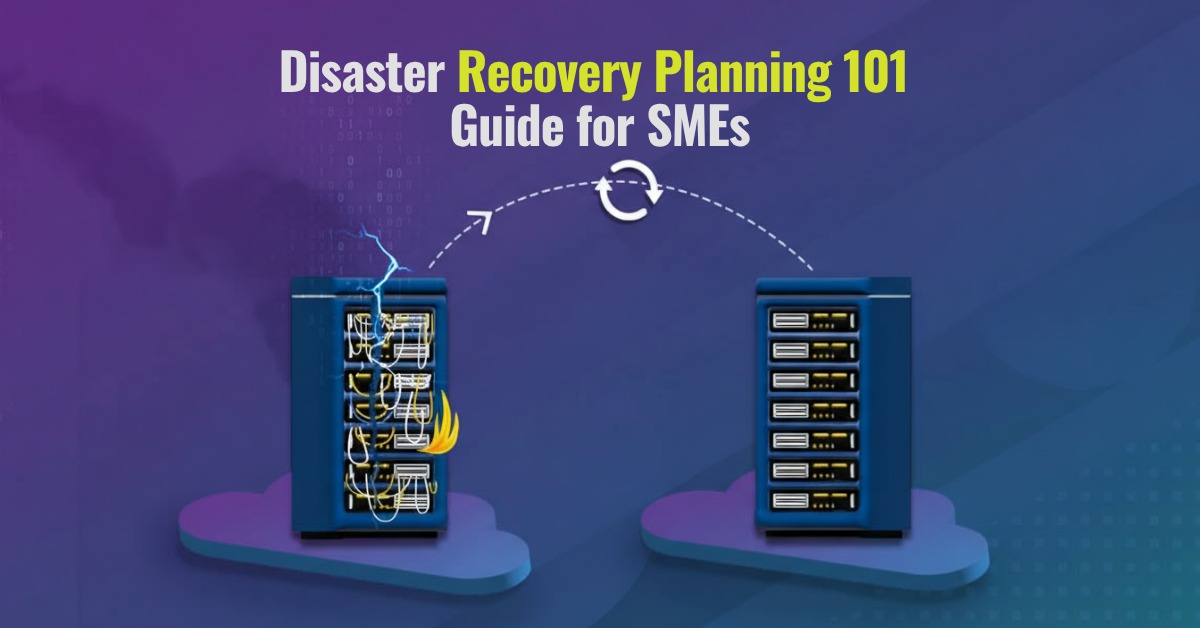
A professional disaster recovery plan provides a data safety net if things should go wrong. SMEs often underestimate the likelihood and impact of downtime on business, as a result of data loss or other IT system failures. Sudden power loss, server crashes or even cyber attacks can put a halt to business operations and have long lasting effects on your overall operation. Customers can lose trust, employees become frustrated and efficiency will drop. All this can be avoided with disaster recovery planning, tailored to the unique requirements of an SME. Our 101 guide to DRaaS (Disaster Recovery as a Service) will explore options and solutions to keep your data and business safe.
What is Disaster Recovery Planning?
A few examples of these IT disasters could be:
– Hardware failure (physical damage to the computer, server crash, manufacturing defects, or overheating)
– Cyberattacks (Ransomware, malware, data breach, hacking)
– Natural Disasters (Floods, fire, earthquake)
– Human errors (accidental deletion of important files)
Key terms to know in Disaster Recovery Planning
- Backup – A copy of your data that can be restored in case the original data is lost or damaged.
- Recovery Time Objective (RTO) – How fast you need to get your system back on track online after a disruption.
Eg: “Our website must be up and running within 2 hours following the system crash.”
- Recovery Point Objective (RPO)- The maximum amount of time a system can tolerate data loss after a disruption.
Eg: “We can lose only up to 1 hour of sales data if the system “crashes.
- Redundancy: Having back up systems or servers that can be used if the primary system fails.
- Failover: A process that automatically switches to standby when the main system fails, ensuring continuity of service.
- Business Continuity: The organization’s ability to keep its operations going during or after a disruption.
Understanding DRaaS Approaches and Models
Organisations often implement disaster recovery plans based on their IT infrastructure, compliance needs, and budget. There are 4 main models which include On-premises, Off-site, Hybrid, and DRaaS.
On-Premises Disaster Recovery:
In this model, all data backup and recovery infrastructure is located in the organisation’s own internal data center. Important applications, servers, and data are duplicated in local hardware. If there is a failure, organisations can switch to those internal backups for recovery. This is best for large enterprises with strong IT teams for on-site data storage.
Off-site Disaster Recovery:
In this model, all data backup or replicas of data are stored at a remote data center or a secondary location. Here, data is continuously backed up at another geographical location. If there is a failure at the primary site, then systems are restored from this remote site. This is best for organisations that have moderate cost control and are looking for geographical redundancy.
Hybrid Disaster Recovery:
This approach includes, combination of on-premises and public cloud resources. In this, critical workloads and data are replicated between private infrastructure (the company’s own data center) and public cloud, such as AWS or Azure. If the primary on-site fails due to a disaster, then the operations can be quickly shifted to a cloud environment.
DRaaS (Disaster Recovery as a Service)
DRaaS is like renting a disaster recovery plan from the cloud. Instead of managing all servers, backups, and recovery systems yourself, a DRaaS provider like Venom IT will take care of everything directly. It acts as a cloud computing service model that allows SMEs ad larger companies to back up their data and IT infrastructure in a secure, 3rd party cloud computing environment.
How can IT Providers help build your Disaster Recovery Plan?
Many SMEs don’t have in-house IT expertise or even resources to build one from scratch. This is where disaster recovery specialists can step in, from building the infrastructure that keeps your data secure, to actioning and restoring following any issues. DRaaS planning specialists help in a number of ways:
1. Evaluating Business Risks and Critical Systems- An DRaaS provider first starts identifying the most critical systems, applications, servers, and data. They assess what downtime would cost your business and then define Disaster Time Recovery (RTO) and Disaster Point Recovery (RPO). (See our guide to what these terms mean further up)
2. Designing a custom-made Disaster Recovery Strategy- No two organizations are alike. A good IT provider will customize a Disaster recovery plan based on the organization’s business type, budget, and size. Hence, it can be on-premises, off-site, or even hybrid. They will choose the right model which will offer affordability and flexibility. Eg: For SMEs, DRaaS is the best option.
3. Implementing Backup and Cloud Solutions – They set up automated backups, replication of data, and cloud storage, ensuring your data is safely copied to a secondary location. So, if your main system fails, your business will not be affected.
4. Testing the Recovery Plan- A plan written on paper needs to be tested in the real world to check that it works properly. Your IT provider will simulate disaster scenarios and check everything works. Whether backup gets stored, applications load, servers run properly, and the team knows how to work. Regular testing helps in keeping updated with tech and business changes.
5. 24/7 Customer Support and Monitoring –IT Disasters can occur at any time, even after business hours. IT providers like Venom IT offer 24/7 monitoring and provide quick response, ensuring your system remains safe during downtime or a cyberattack.
6. Ensuring Compliance and Security –Many industries have strict data protection and compliance standards. IT providers stick to the right protocols in their disaster recovery plans, so your business stays out of legal trouble.
Our approach to Disaster Recovery Planning – 4 key steps
1. Consultation: To understand your requirements, current IT configuration, and problems, we will schedule a friendly and straightforward consultation meeting.
2. Tailored Proposal: With an understanding of what solution will work best, we will put together a proposal plan that fits your business needs, which includes a technical audit.
3. Onboarding and Initial Setup: Once you’re ready, our tech team will move to implementing the recommended plan. They will do installation, manage full systems implementation, oversee data migration, and build integration with the cloud.
4. Continuous Support: With the above successfully completed, a dedicated and experienced account manager will stay in touch as a point of contact, monitor performance, and make sure your new system is always running at its best.
Professional Grade Data Recovery
Venom IT works with some of the leading DRaaS software systems to make sure your business works with complete protection and best performance. They include:
- Microsoft Azure Site Recovery
- Amazon Web Services (AWS) Disaster Recovery
- Veeam Disaster Recovery as a Service
Common Disaster Recovery Planning Pitfalls and how to avoid them
Even with the best intentions, a disaster recovery plan can fail if a few small things are neglected. This is why it’s imperative to use an expert IT provider such as Venom IT. These are some of the common mistakes businesses can make, and how we can avoid them.
- No thorough testing of the recovery plan
Many companies create a disaster recovery plan but fail to test it again and again. When an actual disaster strikes, they discover that half of the plan did not work as expected.
How to avoid it: Schedule regular testing at least twice a year. Create different disaster scenarios as trials, so your team knows exactly what to do and can fill the gaps immediately.
- Outdated Backups
If there is an old or incomplete backup, it won’t help much during a crisis.
How to avoid it: Automate backups wherever possible and check that they are running successfully. Also, test restoring your data occasionally and make sure the backups are usable.
- Relying on a single location
If all your data and systems are stored at one location, then you’re putting everything at risk.
How to avoid it: Consider using cloud-based Disaster recovery, like DRaaS or hybrid systems. In this way, even if the main system fails, you can access your data easily.
- Ignoring Human error
We always focus on technical errors, but forget that even humans can make mistakes. Deleting files, clicking on misleading links, etc.
How to avoid it: Train your employees regularly on cybersecurity practices and also set up permission-based access to critical data.
- Poor communication during downtime
When systems go down, there is a lot of confusion. Teams don’t understand what is happening, and even customers are left in the dark.
How to avoid it: Define clear communication in your disaster recovery plan, which includes who should be informed and when. Also, keep all contact lists updated.
What comes next?
Disaster recovery is ultimately all about keeping your company safe, secure, and prepared for a number of scenarios no SME wants to deal with. Venom IT is an award winning provider of disaster recovery planning, and understand that SMEs may have limited funding and resources. In order to detect potential risks, pinpoint weak points in the current setup, and create a customized disaster recovery plan that meets your company’s demands, we are providing a FREE disaster recovery audit.
Take the first step towards data safety and business continuity by scheduling your free disaster recovery audit with Venom IT right now.
Just imagine you are an accountant working late into the evening during tax season. You have dozens of client files open, deadlines to meet, and suddenly your system freezes. Then to add stress to the situation a virus alert pops up on your screen. This is a nightmare scenario that no accountant or finance company wants to deal with . When sensitive client data is on the line, even a small security breach can cause serious financial loss and reputational damage. Not to mention the disruption to your team scrambling to address the problem.
To mitigate against these kinds of instances Hosted Desktop services come into play, providing reliable, secure, and 24/7 available access to your work environment, from anywhere, at any time.
What is a Hosted Desktop?
Think of a hosted desktop as your entire office computer, but instead of being physically in your office, it lives and runs on the internet (in the cloud). Instead of relying on one device, your desktop files, applications, and software are all stored in a secure UK data center. Log in from any internet-enabled device and work as if you are at your office desk.
For modern accountants and financial firms, this offers a major benefit. There’s certainly no need to carry confidential data on a USB stick, or risk losing files if your laptop fails. Everything is securely stored in the data center and managed by IT specialists.
Why Security Matters for Accountants
Accountants and finance firms deal with a high volume of highly confidential information. From tax returns to payroll data, your reputation depends on keeping that information secure. A single breach could cost far more than the price of any reputable IT service.
That is why hosted desktop services for Accountants and financial firms in Manchester place such a strong emphasis on security. Venom IT adds several layers of protection, so your client data is safe from any risks at each stage. Let’s look at what this includes.
Key Security Features with Venom IT Hosted Desktop Solutions
Our Hosted Desktop and Citrix services offer core security attributes for accountants and finance enterprises, which include the following:
- Sentinel One Endpoint Protection – This provides AI-driven endpoint protection that immediately detects and stops suspicious system actions, preventing malware, ransomware, and other virus attacks before they cause harm to the system.
- Duo Two-Factor Authentication (2FA) – This feature requires users to complete an extra login step, similar to approving access from their phones, which would allow only authorized individuals to access your hosted desktop.
- Data Centers in the UK- All your data is stored within the UK data centers, keeping your business aligned with GDPR and fiscal compliance norms.
Hosted desktops for Accountants and Finance firms make hybrid-working much simpler and safer in numerous ways, such as:
- Work from anywhere – You can access your desktop securely at home, at the office, or indeed while hanging out.
- No need to invest in new hardware systems – Your desktop is in the cloud, so you do not need to keep buying new computers and laptops.
- Scheduled backups – If your device crashes, your work will remain safe as before.
- Fast and reliable performance – Venom IT guarantees high availability, allowing minimal downtime for your team.
- Scalability – Add new users or increase the storage easily as your enterprise grows.
Why does Venom IT’s Hosted Desktop Services stand out from others in the Manchester IT Market?
Due to the integration of Sentinel One’s advanced threat protection and Duo 2-Factor Authentication, Venom IT provides a strong shield to your business against Cyber attacks. We provide 24/7 support whenever you need help. With ISO 27001, 27017, and 27018, as well as other Cyber Essentials certifications, Venom IT meets industry standards. Also, our transparent SLAs clearly guarantee uptime and efficient performance.
What to do next?
In the fast-paced world of finance, uninterrupted operations, strong data security, and seamless regulatory compliance are essential for accountants and financial professionals to carry out their tasks smoothly. With advanced AI tools, Venom IT ensures your firm is not only productive but also protected against cyberattacks.
For a smarter way of working, with improved digitized technological tools, our Venom IT’s Hosted Desktop services would be the best solution for your firm to reach new business heights.
To find out more about how we can help your finance team, simply get in touch with an expert here: https://www.venomit.com/contact-us/